
Installation:
Step #1: After the plugin activation you will see this page.
If you bought the plugin directly then you should recieve a license key in your email. Enter the license key and click on “Agree & Activate License”
Else: Click on “Activate Free Version”.

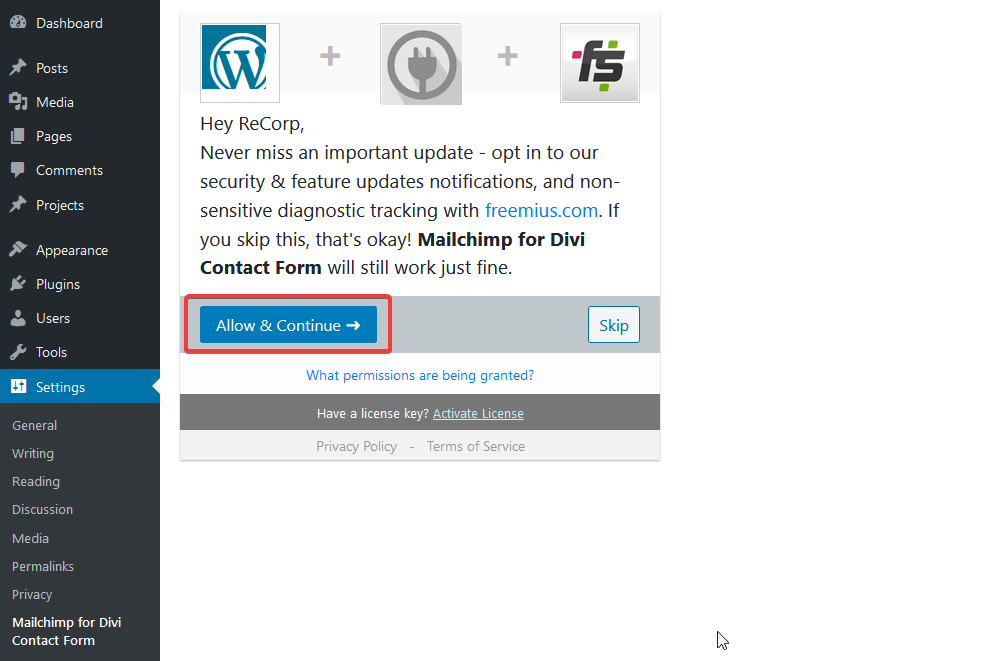
Step #2: Click on “Allow & Continue”.
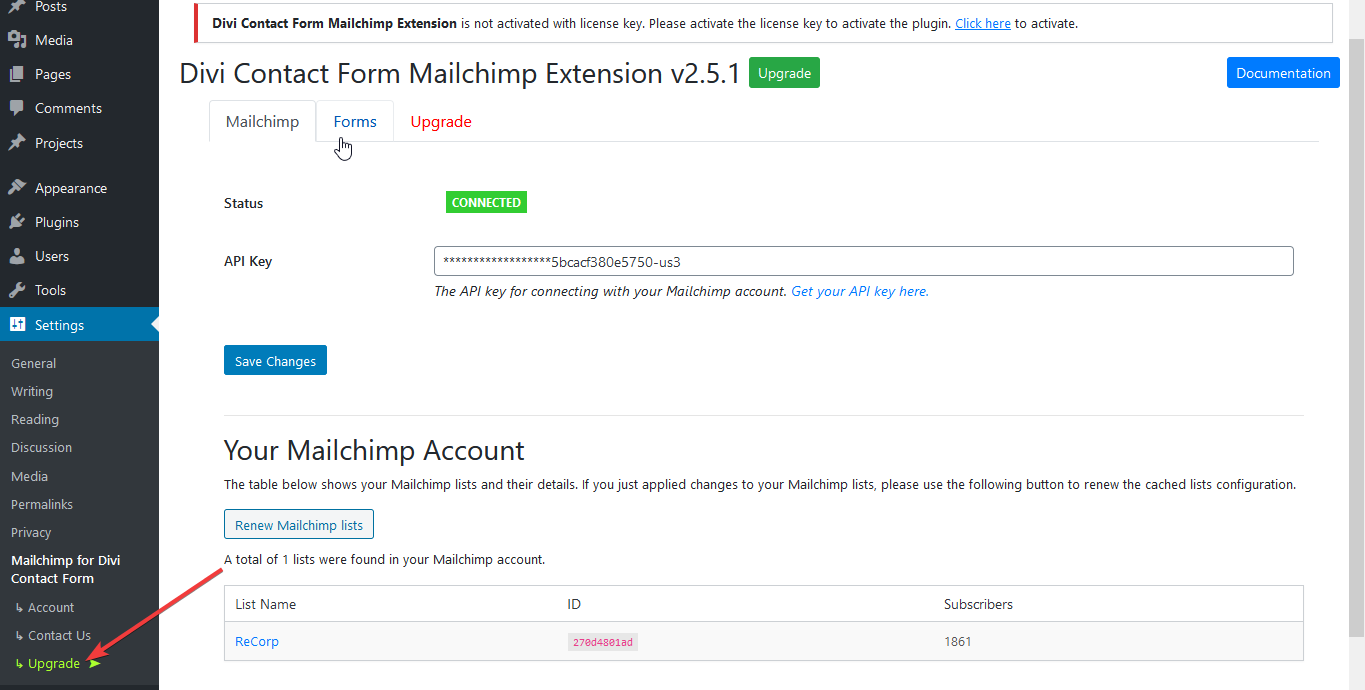
Step #3: Click on “Upgrade”.
You will see this page to upgrade
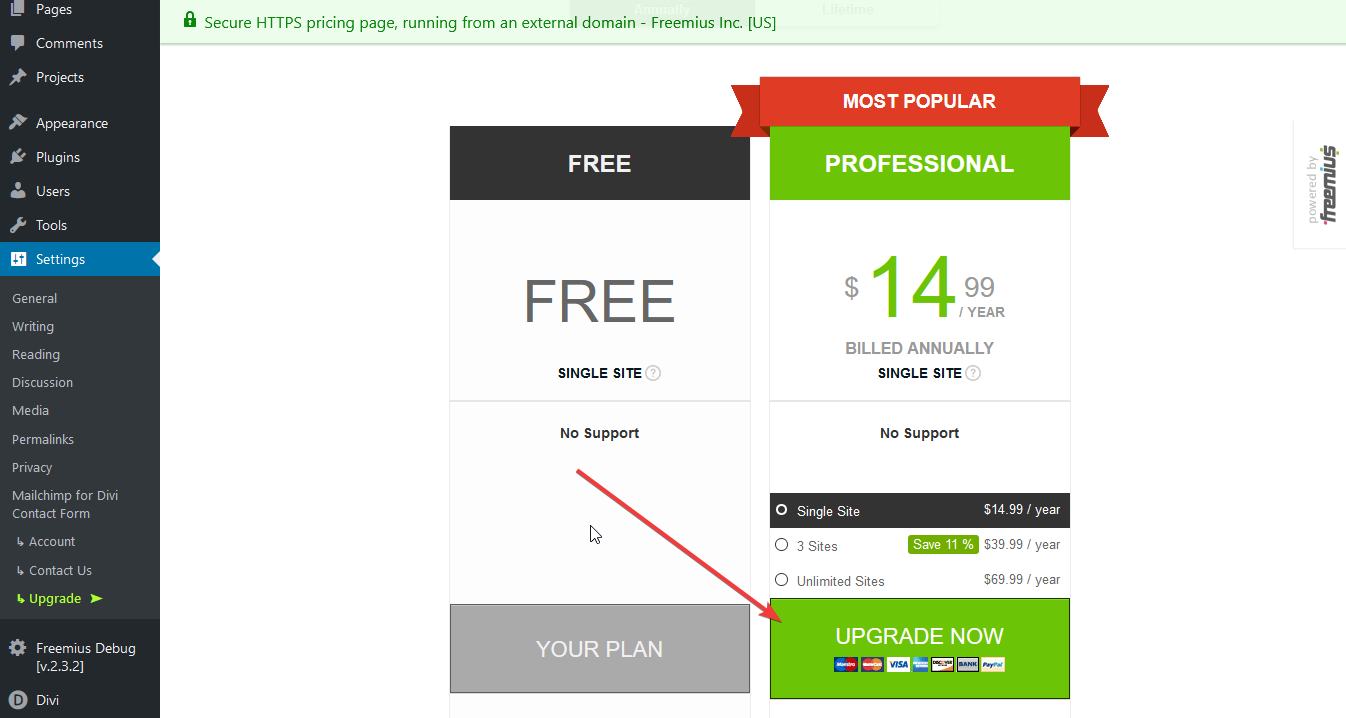
After successful payment, The plugin will be automatically converted to pro version.
#Connect to mailchimp:
#Step 1: Go to https://admin.mailchimp.com/account/api
#Step 2: Click on “Create a key”. When the key will generate then copy the API key.

#Step 3: Go to plugin’s settings page and paste the key on the API key field.

When the process will complete then you will see a section like below:

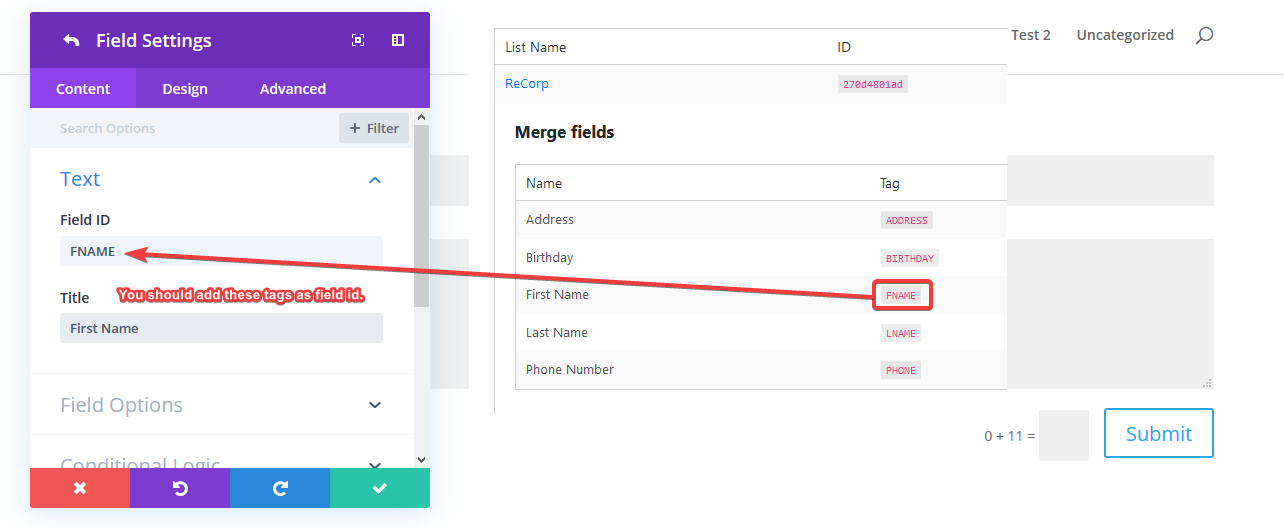
#Step 4: See your Mailchimp list’s merged tags.

#Step 4: Create or edit a divi form and populate the merged tags as divi contact form field id. Example:
#Step 5: Go to “Forms” tab. And active your forms from here.

That’s it 🙂
Thanks for reading.