WordPress plugins by Recorp

See what your visitors do. Fix what stops them.

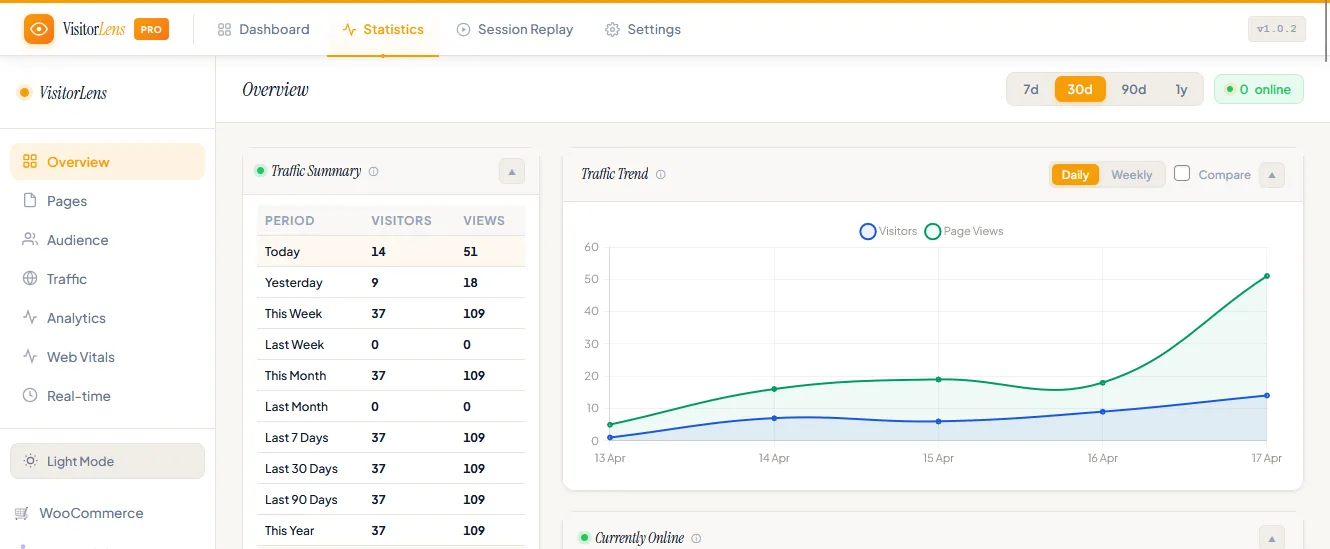
Visitor Lens records real sessions, heatmaps and live traffic inside your own WordPress. It sits alongside the export, menu and content plugins already running on more than 7,000 sites.

4.1 from 110 WordPress.org reviews 7,000+ active installs 14-day money-back guarantee
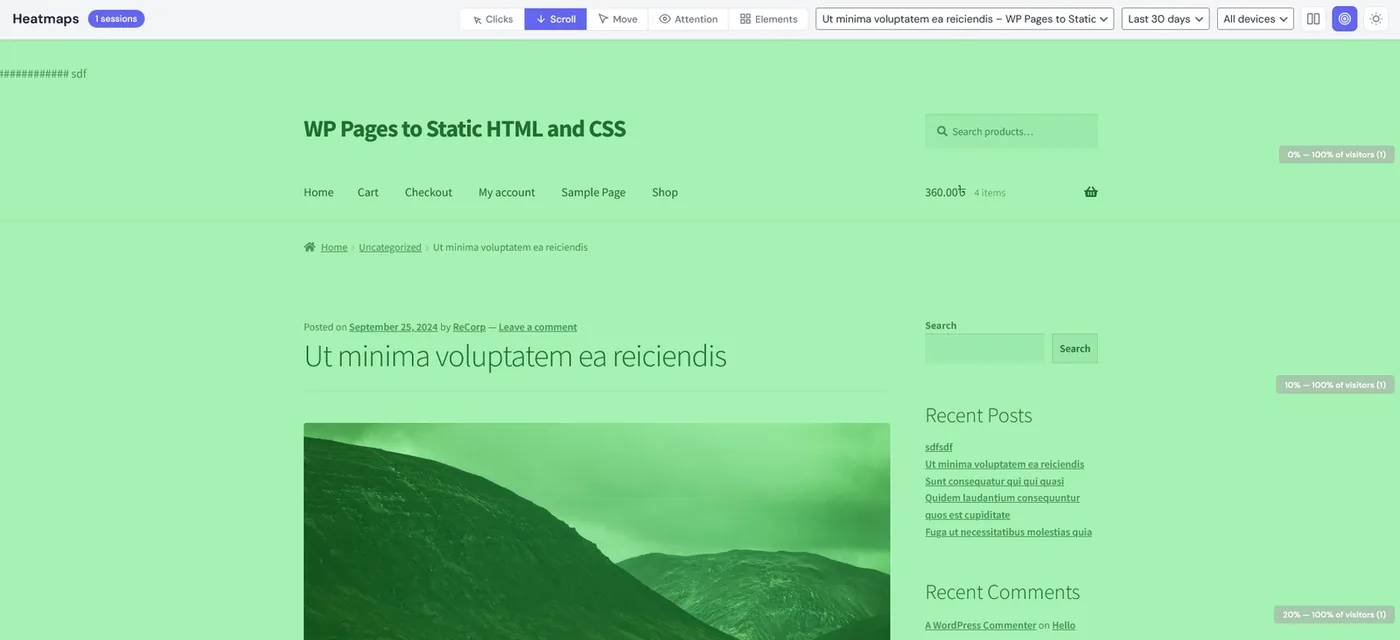
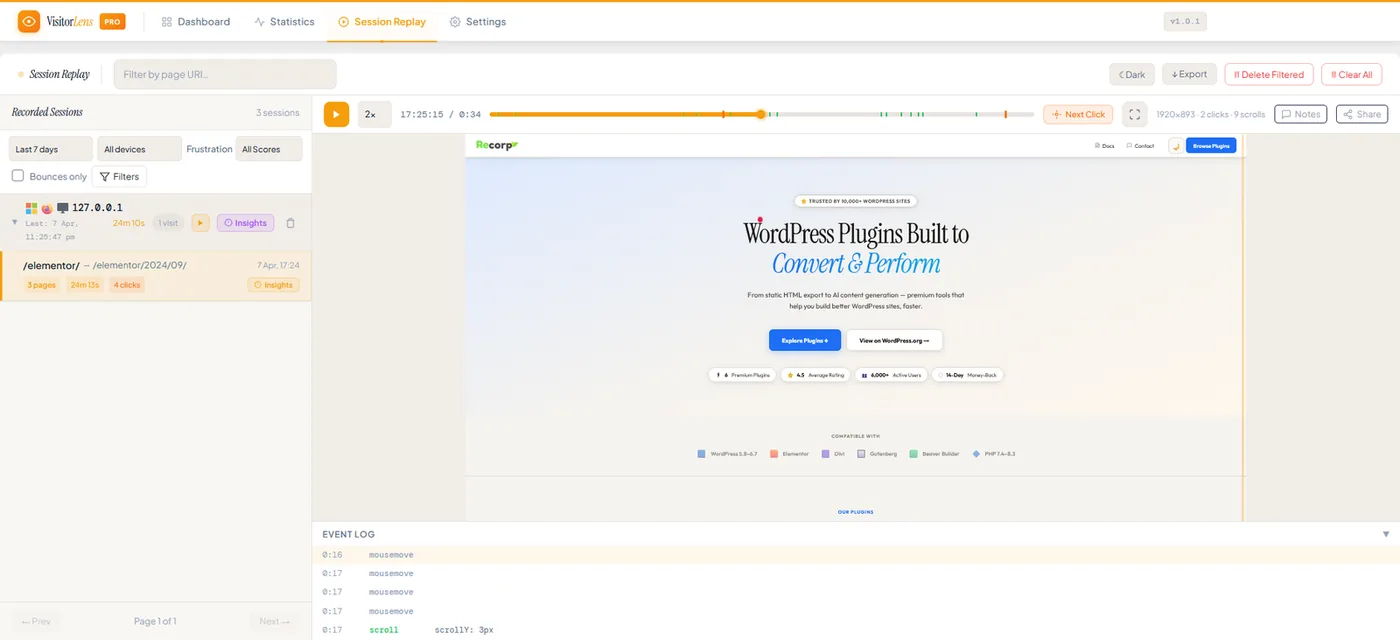
Visitor Lens session replay: a recorded visit plays back with a timeline of clicks, the page as the visitor saw it, and an event log underneath
Tested with
  • WordPress 5.8–6.7
  • PHP 7.4–8.3
  • Gutenberg
  • Elementor
  • Divi
  • Beaver Builder
Plugin 01Visitor Lens
Free & Pro Open Visitor Lens

Analytics shows what happened. Replays show why.

A page-view count can't tell you someone reached checkout, clicked a dead button four times and left. Visitor Lens can — and the recording stays in your own database.
Start the free 3-day trial
Session replay with a playback timeline, recorded sessions list and event log
  • Self-hostedStays in your database
  • GDPR friendlyNo third-party SaaS
  • WooCommerceFunnels & cart drop-off
Plugin 02Remote Access
$10 lifetime Get Remote Access

Let an AI fix and run your site. No SSH, no passwords.

Generate a one-click, time-limited key and hand it to ChatGPT, Claude, Cursor or any AI agent. It does the real work over a secure bridge — while every action is logged and you can revoke access instantly.

One-click consentYou set the lifetime and revoke it any time
Works with any AIChatGPT, Claude, Gemini, Cursor — no login to share
Audited & self-hostedBridge on your server, every action logged
Get Remote Access — $10 lifetime
Access grantedexpires in 24h
Access keyrcbridge_v1_9a3f0b7c_OXdN…K4w
Give your AI this commandrc bridge setup mysite --key=… --url=…
Your AI is connected and working for you
  • $10 lifetimePay once, no renewals
  • One clickTime-limited, revocable
  • Self-hostedSecure on-site bridge
Why Recorp

Small team, focused plugins, direct support

We don't bolt on features to fill a pricing table. Each plugin solves one problem, and the person who wrote it answers your ticket.

  • Support from the developerNo bot and no forum queue. Reviewers mention fixes and even new features shipped after a support email.
  • Lightweight codeNo bloat and no unnecessary dependencies. Built to WordPress coding standards.
  • Kept up to dateTested against new WordPress, PHP and page-builder releases.
  • 14-day money-back guaranteeIf a Pro plugin doesn't work for you, ask for a refund within 14 days.
Reviews

What people say on WordPress.org

“I found it after 2 days of various attempts… And it did exactly what I needed.”
RadovanExport WP Pages to Static HTML
“WOW! The best support I have ever had!”
aubrobDifferent Menu in Different Pages
“Easy to use, does what says, works perfectly.”
kubakoDifferent Menu in Different Pages
4.1 average across 110 ratings Read every review on WordPress.org →
FAQ

Before you install

Does Visitor Lens send my visitors' data anywhere?

No. Recordings, heatmaps and statistics are stored in your own WordPress database. There is no external account and no third-party script.

Will it work with my theme or page builder?

The plugins are tested with Gutenberg, Elementor, Divi and Beaver Builder on WordPress 5.8–6.7 and PHP 7.4–8.3. If something looks wrong on your setup, support will look at it with you.

Can I try before I pay?

Yes. Most plugins have a free version on WordPress.org, Visitor Lens has a free 3-day Pro trial, and every Pro purchase has a 14-day money-back guarantee.

Is Remote Access safe to let an AI use?

Yes. A key only exists while you choose to create one — nothing connects on its own. Keys are time-limited and expire automatically, you can revoke access instantly with one click, and every action taken with the key is written to an on-site audit log. Only share a key with an AI tool you trust.

What does the $10 lifetime price for Remote Access cover?

One payment, used forever — no subscription and no renewals. It includes updates and the same 14-day money-back guarantee as every other Pro plugin.

How do I get help?

Start with the documentation. If it doesn't answer your question, open a ticket from the support page and the developer will reply.

Find out where your visitors get stuck

Install Visitor Lens, watch a few days of real sessions on the free Pro trial, then decide.